
遇到的问题
在前端经常会使用到的打印功能,有很多前端库可以帮我们处理这个问题,比如print.js、vue中的vue-print-nb等等,但是这些还不足以解决更复杂的打印问题。
其中经常遇到的问题有以下几点:
- 页面打印不完全,会遇到页面被裁边的问题,特别是在打印表格的时候
- 页面在大量的文字使用v-for循环渲染的时候,会遇到文字重叠的问题
- 无法代入样式到打印页面中,或者打印页面的样式被污染,这个是最烦人的
解决方案
使用原生html重画页面,比如checkbox,radio,table等等样式在前端组件库中的样式污染都是相当严重的。
所以我一般都会重画html页面,使用最原生的页面打印,看起来也是最舒服,最流畅的。
如果你只打印纯表格页面,我建议是使用print.js,基本上不会有问题,也不需要重画页面。
代码如下:
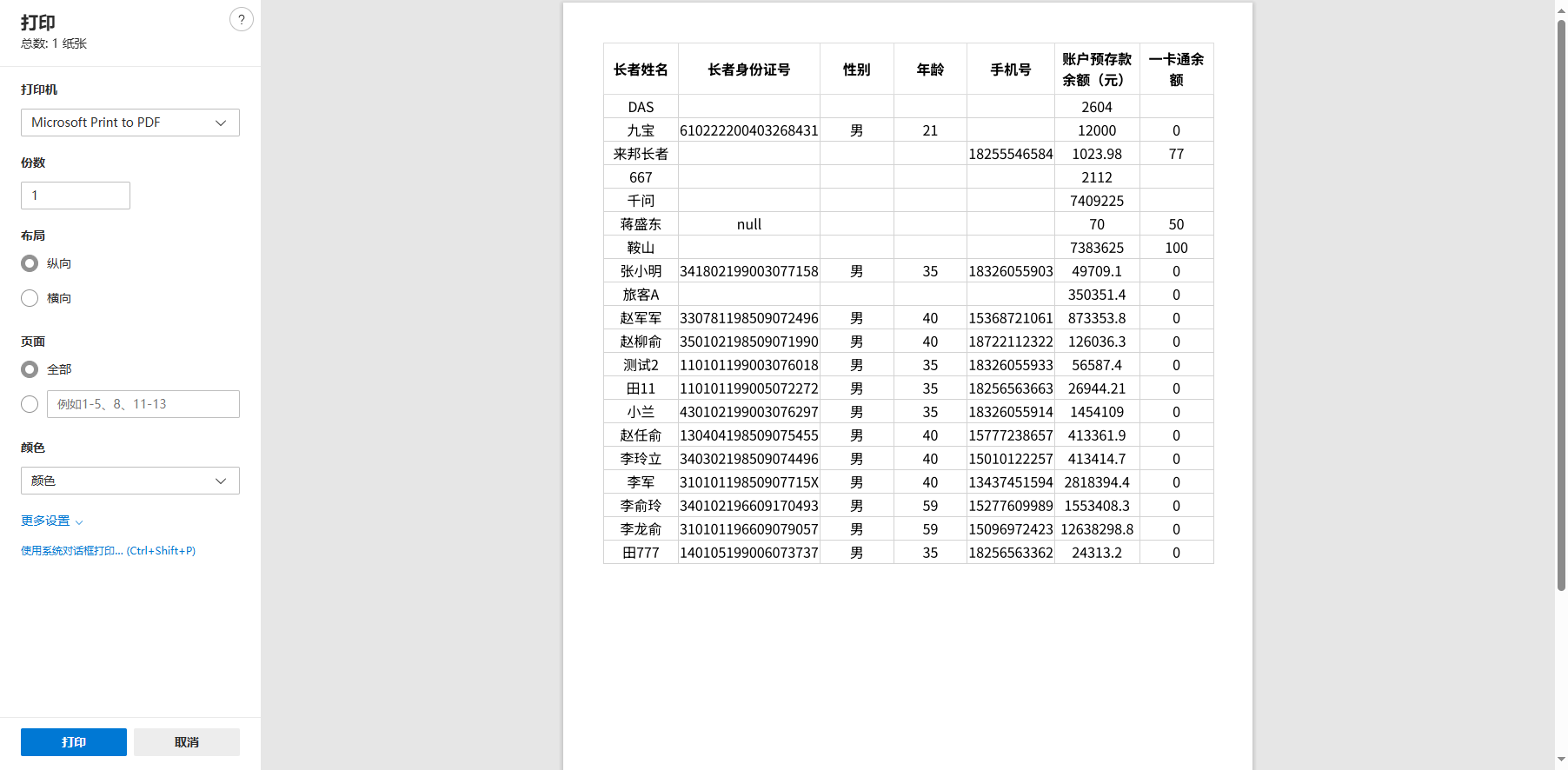
printJS({ documentTitle: "打印标题", printable: this.dataList, // 传入数据 type: 'json', // 这里要设置为json properties: [ // 设置要打的表格属性栏和对应的dataList中的字段 { field: 'name', displayName: "姓名" }, { field: 'age', displayName: "年龄" }, { field: 'address', displayName: "住址" } ], gridStyle: 'text-align: center; border: 1px solid lightgray; margin-bottom: -1px;'})打印效果如下:
其他复杂页面,比如像下面这样的页面,在dialog中展示的有表格有循环渲染的数据,几乎在我们的项目里100%出现文字重叠的情况的。
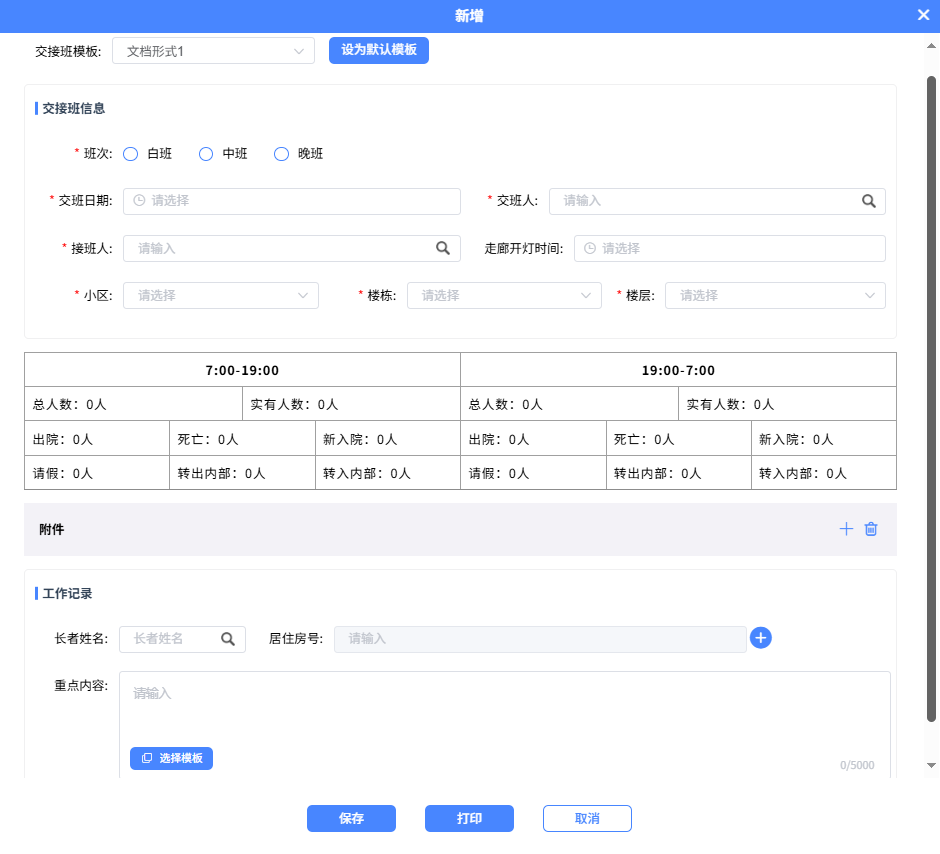
这个时候只能使用iframe来做打印功能,代码示例如下:
async print() { const content = document.getElementById('shift-print').innerHTML; // 获取节点 // 打印的内容里用到的所有样式,写在这里面 const styles = ` body { font-family: Arial; font-size: 14px; } h1 { color: #333; } .page-break { page-break-after: always; } table { border-collapse: collapse; border: 1px solid rgb(140 140 140); letter-spacing: 1px; margin: 1em 0; width: 100%; overflow: auto; table-layout: fixed;50 collapsed lines
}
th, td { border: 1px solid rgb(160 160 160); padding: 8px; } `; this.printWithIframe(content, styles) }, printWithIframe(content, styles = '') { const iframe = document.createElement('iframe'); iframe.style.position = 'absolute'; iframe.style.width = '0'; iframe.style.height = '0'; iframe.style.border = 'none';
document.body.appendChild(iframe);
const iframeDoc = iframe.contentDocument || iframe.contentWindow.document;
iframeDoc.open(); iframeDoc.write(` <!DOCTYPE html> <html> <head> <title>打印内容</title> <style> ${styles} @media print { body { margin: 0; padding: 0; } @page { size: A4; margin: 15mm; } } </style> </head> <body> ${content} </body> </html> `); iframeDoc.close();
iframe.contentWindow.focus(); iframe.contentWindow.print();
setTimeout(() => { document.body.removeChild(iframe); this.printing = false }, 1000); },打印出来的结果如下:
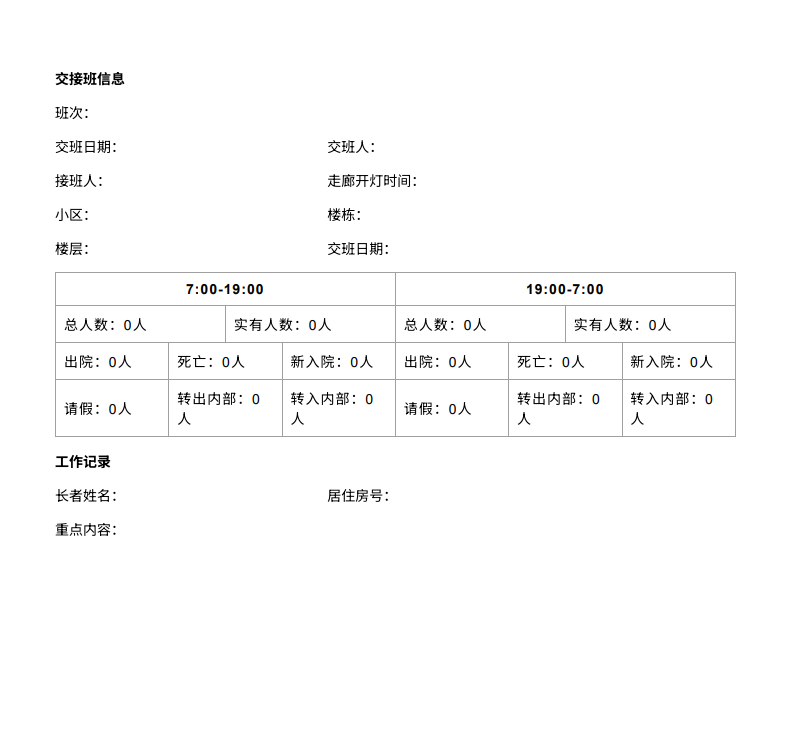
使用iframe基本上可以解决大部分场景下的问题了。